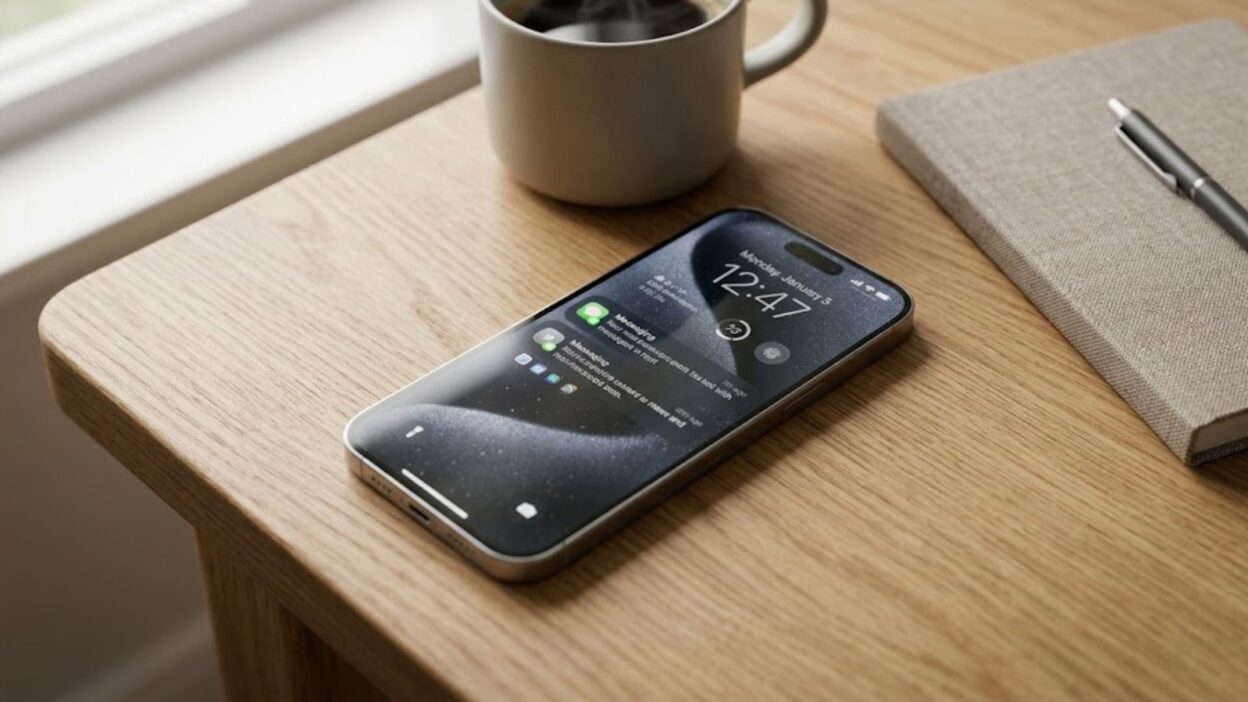
Have you ever opened the Messages app on your iPhone and noticed the words Text Message – RCS in a conversation? 📱 If so, you might wonder what RCS means, why it appears instead of iMessage, and whether it changes how your messages are delivered. The good news is that RCS is a messaging technology designed to make texting between different devices more useful and convenient.
RCS stands for Rich Communication Services. It is a modern messaging standard that supports features such as high-quality photos and videos, read receipts, typing indicators, and improved group conversations. Apple introduced RCS support with iOS 18, making it easier for iPhone users to communicate with people who use Android phones.
However, RCS is not exactly the same as iMessage, SMS, or MMS. It also depends on your iPhone’s software, your mobile carrier, and the recipient’s messaging service. In this guide, you will learn what text message RCS means on iPhone, how it works, how to enable it, and what to do if it is unavailable. You will also discover the differences between RCS and other messaging options, including what you should know about privacy and security.
What Does Text Message RCS Mean on iPhone? 📱
RCS means Rich Communication Services, a messaging standard that improves traditional text messaging. When your iPhone displays Text Message – RCS, it indicates that the conversation is using RCS rather than iMessage or traditional SMS/MMS.
In simple terms, RCS makes regular texting more capable. Instead of relying on the limited features of older text messages, it can support high-resolution media, delivery receipts, read receipts, and typing indicators when the service is available.
Apple added RCS support to the Messages app with iOS 18. As a result, compatible iPhones can exchange richer messages with supported Android devices without requiring both people to use the same phone brand.
Here is what the label generally means:
- Text Message – RCS: Your conversation is using Rich Communication Services.
- Text Message – SMS: Your message is being sent through traditional Short Message Service.
- MMS: Your message uses Multimedia Messaging Service, which supports media such as pictures and videos.
- iMessage: Your conversation is using Apple’s messaging service, typically shown with blue message bubbles.
RCS messages appear in green bubbles on an iPhone, just like SMS and MMS messages. Therefore, a green bubble does not automatically mean your message is using an outdated messaging method.
The main benefit is straightforward: RCS provides a richer texting experience between compatible devices while keeping the conversation inside the Messages app.
How Does RCS Messaging Work on iPhone?
RCS works through a supported mobile carrier and an internet connection. When you send a message to someone who is not using iMessage, your iPhone can use RCS if the necessary software, carrier, and recipient support are available.
For example, imagine that you use an iPhone and your friend has an Android phone. With traditional SMS, you can exchange text messages, but some advanced features may be unavailable. With RCS, both devices can support features such as typing indicators, read receipts, and better-quality media sharing.
RCS can use Wi-Fi or mobile data, depending on the service and connection available. This differs from traditional SMS, which generally uses the carrier’s cellular messaging infrastructure.
The process is relatively simple:
- You open the Messages app on your iPhone.
- You select a contact who supports RCS.
- You write your message and tap Send.
- Your iPhone sends it using RCS when the service is available.
- The recipient receives the message through a compatible messaging service.
If RCS is unavailable, the conversation may use another supported messaging method, such as SMS or MMS, depending on your settings and carrier.
Keep in mind that RCS is not a separate social messaging app. You do not need to install another application on your iPhone to use Apple’s built-in RCS support.
RCS vs. iMessage vs. SMS vs. MMS
Understanding the differences between these messaging technologies helps explain why your iPhone sometimes displays different labels and bubble colors.
Although they all allow people to communicate, they do not offer identical features.
FeatureRCSiMessageSMSMMSMain purposeModern cross-platform messagingApple’s messaging serviceTraditional text messagingMultimedia messagingiPhone supportiOS 18 or later, with carrier supportSupported Apple devicesSupported carriersSupported carriersGreen or blue bubblesGreenBlueGreenGreenHigh-quality mediaSupportedSupportedNot designed for mediaSupported with limitationsTyping indicatorsSupported when availableSupportedGenerally unavailableGenerally unavailableRead receiptsSupported when availableSupportedGenerally unavailableGenerally unavailableWi-Fi messagingSupportedSupportedNot generally supportedNot generally supportedEnd-to-end encryptionDepends on supported encrypted RCS implementationSupportedNoNo
These are general differences. The actual features available can depend on your device, software, carrier, and the other person’s messaging service.
RCS vs. iMessage
iMessage is Apple’s messaging service. It works between compatible Apple devices and uses internet connectivity rather than traditional SMS for iMessage conversations.
RCS, on the other hand, helps compatible devices exchange richer messages across different platforms. For example, it can allow an iPhone user to send enhanced messages to an Android user.
Both services can support read receipts, typing indicators, and rich media. However, their compatibility and security features differ.
The most important distinction is that iMessage uses blue bubbles, while RCS uses green bubbles on an iPhone. Green does not necessarily mean that the message is using SMS.
RCS vs. SMS
SMS stands for Short Message Service. It is the traditional technology used for text messages.
SMS is useful for basic communication because it works through supported cellular networks and does not require an internet connection in the same way RCS does. However, it lacks many of the advanced messaging features available through RCS.
RCS offers a more modern experience, particularly when sharing media or communicating with someone using a different phone platform.
RCS vs. MMS
MMS stands for Multimedia Messaging Service. It allows people to send pictures, videos, and other multimedia content through traditional carrier messaging systems.
RCS can offer better-quality media sharing and additional interactive features. However, actual image and video quality depends on device capabilities, network conditions, and service limitations.
For most users, the practical difference is that RCS provides a more feature-rich alternative to older SMS and MMS messaging.
Why Does My iPhone Show Text Message – RCS Instead of iMessage?
Seeing Text Message – RCS instead of iMessage is usually normal. It means that the current conversation is using RCS rather than Apple’s iMessage service.
The most common reason is that you are messaging someone who uses an Android phone. Because Android devices do not use Apple’s iMessage service, your iPhone may use RCS when both sides and their carriers support it.
Other reasons include:
- iMessage is unavailable: One person may have iMessage turned off.
- Carrier support is enabled: Your carrier supports RCS, allowing your iPhone to use it for compatible conversations.
- The recipient uses a different platform: Your iPhone uses RCS to communicate with a compatible non-Apple device.
- The conversation is using a different messaging method: Your iPhone may use RCS instead of SMS when the necessary requirements are met.
You generally do not need to take any action if your messages are sending and receiving normally.
However, if you expected to use iMessage with another iPhone user, check that iMessage is enabled on both devices. A green bubble can indicate RCS, SMS, or MMS, so the color alone does not identify the exact service.
How to Turn On RCS Messaging on iPhone
You can check whether RCS is available and enable it through your iPhone’s Settings app. The process is straightforward, although the exact availability depends on your carrier and region.
Follow these steps:
- Open Settings on your iPhone.
- Tap Apps.
- Select Messages.
- Find RCS Messaging.
- Open the setting and turn on RCS Messaging.
If you cannot find the RCS Messaging option, your carrier or region may not support the feature. You should also check that your iPhone is running a compatible version of iOS.
Apple introduced RCS support in iOS 18. However, installing a compatible software version does not guarantee that RCS will be available with every mobile network.
If you have just enabled the feature, allow some time for activation. Then, try sending a message to a contact whose device and carrier support RCS.
You can find Apple’s official instructions in its RCS messaging setup guide.
What Features Does RCS Offer on iPhone? ✨
RCS improves the everyday texting experience by adding features that traditional SMS and MMS do not fully support.
Although the exact experience depends on compatibility, the following features are among its main advantages.
High-Quality Photos and Videos
One of the biggest benefits of RCS is improved media sharing. It supports high-resolution photos and videos, helping you share memories without relying on older messaging limitations.
For example, you can send travel pictures, family photos, or short videos to a compatible Android contact through the Messages app.
Actual quality may still depend on file size, device support, network conditions, and the recipient’s messaging service.
Read Receipts
Read receipts can tell you when a supported messaging service reports that a recipient has read your message.
This feature can be useful when coordinating plans or waiting for an important response. However, read receipts depend on the supported service and settings, so they may not always be available.
Typing Indicators
Typing indicators show when the other person is composing a message, provided the feature is supported and active.
This makes a conversation feel more interactive because you can see when someone is preparing a response instead of wondering whether they have started typing.
Better Group Messaging
RCS can improve group conversations compared with traditional SMS/MMS. Depending on the supported implementation, you may have a more consistent experience when sharing media and communicating with people on different devices.
Nevertheless, some group-chat features can vary between platforms and carriers.
Internet-Based Messaging
RCS can send messages over Wi-Fi or mobile data. This can be convenient when a suitable internet connection is available.
However, RCS is still a carrier-provided service on iPhone. It is not identical to using an independent messaging app such as WhatsApp, and your carrier’s service terms may apply.
Is RCS Messaging Free on iPhone?
RCS does not necessarily have a separate per-message charge, but whether it costs you money depends on your mobile carrier and plan.
Because RCS uses Wi-Fi or mobile data, messages may use your internet allowance. If you use cellular data, the applicable data charges or plan limits may apply.
Traditional SMS and MMS charges depend on your carrier and subscription. Some plans include unlimited texting, while others have different restrictions.
Before using RCS extensively, check the terms of your mobile plan. This is particularly useful if you have limited mobile data or use a carrier that charges for certain messaging services.
Also, remember that sending an RCS message over Wi-Fi does not automatically make the service free in every situation. Your carrier’s terms still matter.
Is RCS Messaging Safe and Private? 🔒
RCS includes modern messaging capabilities, but privacy deserves careful attention.
The level of protection depends on the particular RCS implementation and whether end-to-end encryption is available for the conversation.
Apple began rolling out end-to-end encrypted RCS messaging in beta with iOS 26.5 in May 2026. This protection requires compatible software and supported carriers on the participating devices. Availability can vary, so you should not assume that every RCS conversation is encrypted end to end.
When end-to-end encryption is active, messages are protected against being read by third parties while they travel between the participating devices. Apple indicates that an encrypted RCS conversation displays an encryption indicator, including a lock icon.
If you do not see the appropriate encryption indicator, do not assume that the conversation has end-to-end protection.
Here are a few practical privacy tips:
- Check whether your conversation displays an encryption indicator when you need end-to-end protection.
- Keep your iPhone updated to receive supported security improvements.
- Avoid sending passwords, financial information, or other highly sensitive details through a messaging service unless you understand its security protections.
- Be cautious when opening unexpected links or attachments, even when they arrive in a familiar conversation.
- Contact your carrier if you need clarification about its RCS security support.
RCS is designed to improve messaging, but its security capabilities are not identical in every implementation. Understanding which features are active is more useful than assuming every RCS message has the same level of protection.
Why Is RCS Messaging Not Working on My iPhone?
If RCS is not working, the issue may involve your iPhone settings, software version, carrier support, or the recipient’s device.
Fortunately, you can try several basic troubleshooting steps before contacting your mobile provider.
1. Check Your iOS Version
Open Settings, select General, and tap Software Update.
If your device is running an older version than iOS 18, update it if your iPhone supports the required software. Also, install newer compatible updates when available.
2. Check RCS Messaging Settings
Go to Settings → Apps → Messages and look for RCS Messaging.
If the option appears, confirm that it is enabled. If it is missing, your carrier may not offer RCS on iPhone in your region.
3. Check Your Internet Connection
RCS relies on Wi-Fi or mobile data. Try opening a website to verify that your connection is working.
If you use cellular data, confirm that mobile data is enabled and that your plan allows you to access the service.
4. Restart Your iPhone
A simple restart can sometimes resolve temporary software or connectivity problems.
Restart your device, open Messages again, and test the conversation.
5. Check Carrier Support
RCS is a carrier-provided service, so compatibility matters.
Contact your mobile provider to confirm whether it supports RCS messaging on iPhone, whether your plan is eligible, and whether any network settings need attention.
6. Check the Recipient’s Compatibility
RCS requires the relevant devices and messaging services to support the feature.
If the recipient’s device, messaging app, or carrier does not support RCS, the conversation may use SMS or MMS instead.
7. Allow Time for Activation
After enabling RCS, activation may not be immediate. Give the service some time, then test it again.
If the problem continues, your carrier can help determine whether the issue is related to account provisioning or network compatibility.
Can You Turn Off RCS Messaging on iPhone?
Yes. If the option is available, you can disable RCS through the Messages settings.
Follow these steps:
- Open Settings.
- Tap Apps.
- Select Messages.
- Tap RCS Messaging.
- Turn the feature off.
Disabling RCS means your iPhone will no longer use RCS through that setting. Depending on your carrier, settings, and the recipient’s device, messages may use another available method, such as SMS or MMS.
Keep in mind that turning off RCS does not turn off iMessage. These are separate messaging services.
If you want to keep using iMessage with other Apple users, you can leave iMessage enabled while adjusting the RCS setting separately.
Does RCS Work Between iPhone and Android?
Yes, RCS can work between iPhones and Android devices when the required compatibility and carrier support are available.
This cross-platform support is one of its main advantages. You can use the built-in Messages app on your iPhone to communicate with someone using a compatible Android messaging service.
For example, suppose you want to share vacation photos with a friend who uses Android. If both sides support RCS, you may be able to send higher-quality images, receive typing indicators, and use read receipts.
However, not every Android phone or mobile carrier supports the same features. Both participants need compatible services for the richer experience to work.
If RCS is unavailable, your message may be sent through SMS or MMS instead.
Also, RCS does not make Android conversations appear as blue iMessage conversations on your iPhone. RCS messages remain green.
Why Are My RCS Messages Green Instead of Blue?
Green bubbles are normal for RCS conversations on an iPhone.
Apple uses blue bubbles for iMessage and green bubbles for messages sent through RCS, SMS, or MMS. Therefore, a green conversation does not automatically mean your iPhone has a problem.
The bubble color indicates the messaging service being used rather than the quality of your connection or the importance of the conversation.
If you are messaging an Android user through RCS, the green bubble is expected. If you are messaging another iPhone user and the bubble is green, your conversation may be using SMS/MMS or another available non-iMessage method.
To use iMessage when possible, open Settings → Apps → Messages and confirm that iMessage is enabled. The recipient must also be able to use iMessage for the conversation to appear in blue.
Is RCS Better Than Traditional Text Messaging?
For many everyday conversations, RCS offers a better experience than traditional SMS/MMS.
It supports richer media, read receipts, typing indicators, and improved messaging between compatible devices. These features can make conversations more convenient, especially when communicating with Android users from an iPhone.
However, RCS is not automatically better in every situation.
Traditional SMS can be useful when an internet connection is unavailable, provided cellular messaging service works. RCS, meanwhile, requires compatible software, carrier support, and a suitable connection.
Privacy is another consideration. End-to-end encryption is not guaranteed for every RCS conversation, so you should check whether it is active when security matters.
Ultimately, RCS is a useful improvement for people who want more features than traditional text messaging provides without leaving the built-in Messages app.
Frequently Asked Questions
1. What does RCS stand for on an iPhone?
RCS stands for Rich Communication Services. It is a modern messaging standard that supports features such as high-resolution media sharing, typing indicators, and read receipts when compatible services are available.
2. Is RCS the same as iMessage?
No. iMessage is Apple’s messaging service, while RCS is a cross-platform messaging standard provided through supported carriers. iMessage conversations appear in blue bubbles, whereas RCS messages appear in green bubbles on an iPhone.
3. Why does my iPhone say Text Message – RCS?
Your iPhone displays this label when the conversation uses RCS instead of iMessage or traditional SMS/MMS. This commonly happens when messaging a compatible Android device.
4. Do I need to install an app to use RCS on iPhone?
No. Apple’s RCS support is built into the Messages app on compatible iPhones. You need a supported iOS version and a mobile carrier that offers RCS on iPhone.
5. Is RCS messaging encrypted?
RCS encryption depends on the implementation and compatibility of the participating services. End-to-end encrypted RCS messaging began rolling out in beta on supported iPhones with iOS 26.5, but not every conversation necessarily has this protection. Check for the encryption indicator before assuming a conversation is protected.
6. Can I turn off RCS on my iPhone?
Yes. If your carrier provides the setting, open Settings → Apps → Messages → RCS Messaging and turn it off. Your iPhone may then use another available messaging method, depending on your settings and carrier.
7. Does RCS work without Wi-Fi?
Yes, RCS can use mobile data instead of Wi-Fi. However, it requires a suitable connection and carrier support. Data charges or plan limits may apply.
8. Why is RCS not showing in my iPhone settings?
The option may be missing because your carrier or region does not support RCS on iPhone, or because your software is not compatible. Check for available iOS updates and contact your mobile carrier to confirm availability.
Conclusion
So, what does text message RCS mean on iPhone? It means your conversation is using Rich Communication Services, a modern messaging standard that offers features such as high-quality media sharing, read receipts, typing indicators, and improved cross-platform communication.
RCS is especially useful when texting Android users because it provides a richer experience than traditional SMS and MMS. However, it still appears in green bubbles, and its availability depends on your iPhone software, mobile carrier, and the recipient’s messaging service.
To get started, open Settings → Apps → Messages and check whether RCS Messaging is available. If you cannot find the option, contact your carrier to confirm support.
Finally, remember that RCS and iMessage are different services, and encryption is not guaranteed in every RCS conversation. 🔒 Understanding these differences will help you use your iPhone’s messaging features with greater confidence.

Dylan Foster is a relationship content writer and communication enthusiast with a passion for helping people build confidence in dating and social interactions. He specializes in pickup lines, flirty texts, conversation starters, and modern relationship advice.